windows 2003 task scheduler error

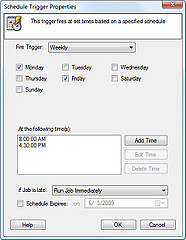
We had a windows 2003 server that was getting an error running scheduled tasks. When you tried to view the properties of that task you would get the follow error:
The attempt to retrieve account information for the specified task failed; therefore, the task did not run. Either an error occurred, or no account information existed for the task.
The specific error is:
0x80090016: Keyset does not exist
Searching Microsoft’s site, they had a fix but required you to boot into safe mode. This was a production server I did not want to take down.

But I found a way to fix it without needing to enter safe mode.
Try this:
Stop the Task Scheduler Service
Delete? the files from C:Documents and Settings-All? Users-Application Data-Microsoft-Crypto-RSA-S-1-5-18
Start the Task Schedule Service
Go into each task and re-enter the password for the user account under which the task runs.
Give each task a test run.
That should do it for you. A much better process than booting into safe mode and you don?t even have to reboot the computer.
Hi
Nice tip and for sure a way better solution that the on Microsoft came up with.
I just hate working with schedule task in Windows. I think that it should be supposed to be simple to create a schedule task, but it is not in Windows at all. Somehow they have managed to make it even more complex in Windows server 2008 / Vista / Windows 7. Sometimes I prefer to use the good old AT commands from a prompt. I just trust that one more 😉
It is more complex with win7 and 2008, but I think they also have more options. Like the ability to email as part of a task without a 3rd party script like blat.
I remember using AT back on NT.
We don’t do much with scheduled tasks here at work because they tend to be forgotten about and when there is an issue no one remembers the how or why.