TeamLab: All-in-one Web Solution to Boost Your Work

No matter what a size your business may be, decent control and management are essential throughout all the processes. Here a great variety of IT-solutions comes to rescue, replacing disturbing constant briefings and paper red tape reports with fast and easy-to-use web project management systems. TeamLab is one of these solutions that we are going to overview today.
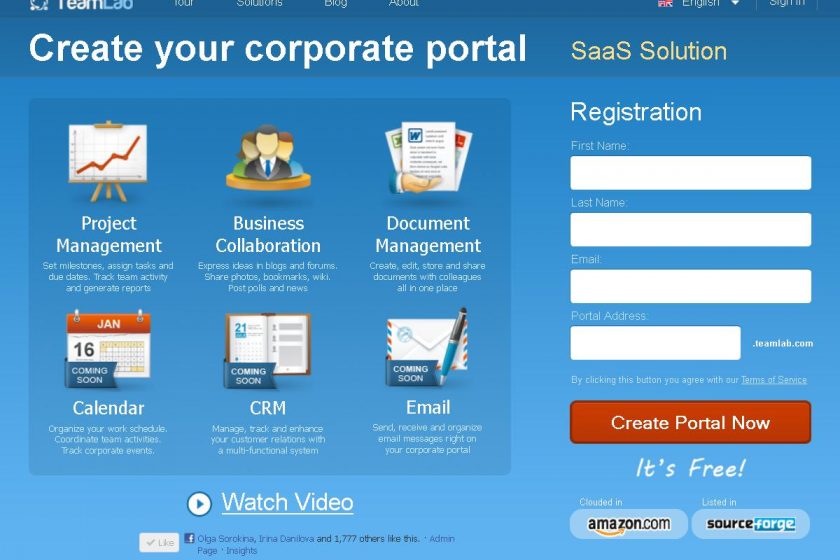
TeamLab is a web based platform that includes features for project management, collaboration and document work. Though multi-functional, the interface is clean and easy to operate. Besides, it is fully customizable: starting from skin color and ending with dashboard movable widgets. The features are organized in 4 Modules, integrated with each other: Projects, Community, Documents and Instant Messaging.

Projects section supplies users with all the standard tools to manage project work. Here you can organize your team:? the system enables to add employees using the default form or just import the contacts from Google, Yahoo or Windows Live accounts. With the colleagues gathered together you can create a project, set milestones and assign tasks.
Below is a screenshot of Projects typical dashboard. As you see, it’s extremely simple to understand. You’re not overwhelmed by confusing options, there are just 7 feature tags that lead to corresponding functions.

Community module helps to maintain corporate collaboration. Due to the variety of features offered here, you can roll out a real company’s social network. Whether it’s necessary to inform everybody about an event or you’d like to set a poll ? TeamLab Community will assist you. To share an interesting article or any other info, you can use Blogs, Forums, Photos and Bookmarks. You’ve got an opportunity even to organize your own knowledge base ? with TeamLab Wiki at your disposal. Just like in any social network, What’s new feed shows the recent activity.

Documents toolset is the TeamLab’s most significant distinction from the similar systems. The platform not only allows you to share files with colleagues but edit as well. There are two editing options available. You can launch fully-featured built-in Open Office application or online editor operating in ?Google Docs? style.? Every doc has a unique link, thus providing the most convenient and familiar way to share docs.

Instant Messaging is a useful addition to the listed modules that makes the system complete. The IM client operates directly in the portal or can be integrated in your personal JabberJ/XMPP.

On the whole, TeamLab makes a pleasant impression. There are some weak points, e.g. Gantt charts and CRM are not included. TeamLab developers ensure to release them in the future though. Still, even today TeamLab presents a full featured project management and collaboration system that’s definitely worth trying. The last and probably most attractive factor is that 93% of features are provided absolutely for free with no project or user limits. No more words, just try TeamLab yourself.

Looks exactly what i would need for my next Project, thx for sharing.
Very well written Post 🙂
I’d recommend you should try TeamLab yourself to find out if it meets your requirements or not. The system provides an absolute majority of functions absolutely for free so go ahead to see it in action!
TeamLab seems like a good platform for teams that are working together but are not together physically.